 EN
ENHow to Livestream on an Independent Website: Steps for Beginners
In the internet age, livestreaming has become a very popular form of interaction. Many independent website owners are considering how to attract more users and increase website traffic and sales through livestreaming. How do you livestream on an independent website? Next, I will explain in detail.
First, Choose a Suitable Livestreaming Platform
1. Define Your Livestreaming Goals
You need to clarify your goals for livestreaming. Is it to increase website traffic, raise brand awareness, or sell products? Different goals will influence your choice of livestreaming platform.
2. Platform Comparison
There are currently many livestreaming platforms available, such as Douyin, Kuaishou, Douyu, and Huya. Below is a comparison of some popular livestreaming platforms:
| Platform | User Base | Advantages | Disadvantages |
|---|---|---|---|
| Douyin | Mainly young people | Large user base, high traffic, and easy content sharing | Relatively strict livestream content moderation, with high requirements for livestream content |
| Kuaishou | Mainly young people | Large user base, high traffic, and easy content sharing | Relatively relaxed livestream content moderation, but content quality varies |
| Douyu | Mainly gamers | Strong specialization in gaming livestreams, with a wide variety of content | Relatively small user base and relatively low traffic |
| Huya | Mainly gamers | Strong specialization in gaming livestreams, with a wide variety of content | Relatively small user base and relatively low traffic |
3. Choose a PlatformHow to Livestream on an Independent Website
Choose a suitable livestreaming platform based on your livestreaming goals and user base. For example, if your goal is to increase website traffic and raise brand awareness, you can choose Douyin or Kuaishou; if your goal is to sell products, you can choose Douyu or Huya.
Second, Prepare Livestream Content
1. Decide on a Livestream Topic
Your livestream topic should align with your website's positioning and users' needs. Here are some common livestream topics:
* Product Showcase: Introduce your products in detail so users can understand their features and advantages.
* Industry Knowledge Sharing: Share industry knowledge to increase users' trust in you.
* Interactive Games: Increase user engagement and retention through interactive games.
* Expert Interviews: Invite industry experts for interviews to enhance the professionalism of your livestream content.
2. Prepare Video Materials
For your livestream, you need to prepare video materials, such as product demonstrations and explanations of industry knowledge. These materials can help you present your content more effectively and improve your livestream's results.
3. Plan Interactive Segments
Plan interactive segments during your livestream, such as questions and answers and prize draws, to increase user participation.
Third, Livestreaming Equipment and Software
1. Livestreaming Equipment
* Camera: Choose a high-definition camera to ensure clear livestream visuals.
* Microphone: Choose a high-quality microphone to ensure clear livestream audio.
* Lighting: Ensure adequate lighting during your livestream to improve visual quality.
2. Livestreaming Software
There are currently many livestreaming software options available, such as OBS and XSplit. These programs can help you easily set up livestreaming.
Fourth, Promote Your Livestream
1. SocialHow to Livestream on an Independent WebsiteMedia Promotion
Use social media platforms, such as Weibo and WeChat, to promote your livestream and attract more viewers.
2. Website Promotion
Add livestream announcements to your website's homepage, product pages, and other locations to direct users to watch your livestream.
3. Collaborative Promotion
Collaborate with other websites or platforms on promotion to expand your livestream's reach.
Five. Livestream Operations
1. Data Analysis
After the livestream ends, analyze the livestream data to understand its performance and provide a reference for future livestreams.
2. Optimize Livestream Content
Optimize livestream content based on the data analysis results to improve livestream performance.
3. Build a FanHow to Livestream on an Independent WebsiteBase
Interact with users through livestreams to build a fan base and provide support for future livestreams.
Six. Conclusion
Starting a livestream is no easy task, but with a good grasp of the points above, we believe you can successfully begin your livestreaming journey. May you go further and further on your livestreaming path!
How to Enable Store Livestreaming on Alibaba
Enabling Alibaba store livestreaming requires completing six steps in sequence: checking eligibility, submitting an application, waiting for review, completing information, preparing equipment, and starting a livestream. The specific process is as follows:
One. Check Eligibility: All of the Following Conditions Must Be Met:
Membership type: Hold an Alibaba Pifatong or Wangdiantong membership. Qualification requirements: The business license must have passed the annual inspection by the Administration for Industry and Commerce, and there must be no record of livestreaming industry violations, such as selling counterfeit goods or false advertising. Compliance: The store must comply with Alibaba platform rules and livestreaming industry standards. Two. Application Process: Log in to the Seller Center: Use the store's primary account to log in to the Alibaba seller backend. Access the livestreaming activation entry: Click the “Livestream” option in the left navigation bar and select the “Enable Livestreaming” button. Complete the application information: Follow the page instructions to submit proof of store qualifications, such as a business license, contact information, and a livestreaming business plan, which is required in some scenarios. Submit the application: After confirming that the information is correct, click Submit to enter the review stage. Three. Review Process and Timeline: Review scope: Alibaba will verify the authenticity of the store's qualifications, its historical violation records, and the compliance of its livestreaming business. Review timeline: Usually 1-3 business days, with results sent via an on-site message or SMS. Handling review results: If the application is not approved, revise the qualification information or provide supplementary materials as instructed, then resubmit. Four. Complete Livestream Room Information: After approval, complete the following settings:
Basic information: Livestream room name: Keep it concise and clear, including core keywords, such as “Women's Clothing Wholesale Livestream.”
Category selection: Select the appropriate category based on your main products, such as “Clothing” or “Home.”
Livestream announcement: Briefly explain the livestream theme, time, and promotional offers.
Visual and product configuration: Background image: Upload a high-definition brand image or product display image, with recommended dimensions of 1200×600 pixels.
Product details: Upload information about the products to be featured in the livestream in advance, including titles, prices, inventory, and descriptions with text and images.
Five. Prepare Livestreaming Equipment: Basic equipment: Phone or computer: The phone must support high-definition recording; an iPhone 11 or later, or an Android flagship phone, is recommended. The computer must have a dedicated graphics card.
Camera: An external camera can improve image clarity, such as the Logitech C920.
Microphone: Use a lavalier microphone or USB microphone, such as the Takstar PC-K200, to reduce ambient noise.
Advanced equipment (optional): Sound card: Improves audio quality and supports multitrack input, such as the second-generation Senran Boba.
Livestream lighting: Set up a ring fill light or softbox to ensure even facial lighting.
Six. Start Livestreaming: Log in to the livestreaming platform: Access the “Livestream Management” page through the Seller Center. Create a livestream session: Click the “Start Livestream” button and enter a title, such as “Summer New Product Debut,” and a brief description highlighting the selling points. Select products for this livestream from the uploaded product library; batch addition is supported. Test the equipment: Check image clarity, audio synchronization, and network stability; a bandwidth of ≥10Mbps is recommended. Use the “Preview” feature to check the livestream's appearance and sound, and adjust the camera angle and lighting positions. Go live: After you click “Confirm and Go Live,” the system will generate a livestream link, which can be shared on the store homepage, in community groups, or on third-party platforms to attract traffic. Seven. Additional Livestreaming Tips: Content planning: Prepare a script in advance, allocating time slots for product introductions, interactive segments, and promotional activities. Traffic management: Use the “Livestream Preview Announcement” feature to attract attention in advance, and improve retention during the livestream through “Red Packet Rain” and “Coupons.” Interaction optimization: Respond to questions in the comments in real time, and use “Prize Draw” and “Live Guest Connection” features to increase audience participation. Data review: After the livestream, check metrics such as viewer count and product click-through rate to optimize future product selection and sales scripts. Precautions: Follow platform rules throughout the livestream. Sensitive words and prohibited products are not allowed; otherwise, the livestream may be forcibly ended or livestreaming privileges may be suspended. For the first livestream, a 1-2-hour session is recommended to test the process. Extend the duration after becoming familiar with the operations.
How Do You Sell Products on the International Version of Douyin?
Products can be sold on the international version of Douyin (TikTok) through methods such as TikTok Shop, independent websites, and livestreaming. This requires completing steps such as qualification review, account management, and compliant promotion.
I. Choose a Sales Model TikTok Shop: Suitable for sellers with product sources. Options include selling directly through a cross-border shop (requires a business license from mainland China, with goods shipped to an official transit warehouse) and showcase affiliate selling (available once followers reach 1000; earn commissions by displaying other sellers' links, without shipping goods or paying a security deposit). Driving traffic to an independent website: Beginners or sellers without product sources can use videos to direct traffic to their own websites to complete purchases, without being subject to shop eligibility requirements, but the purchase journey is longer. Livestream selling: Livestreaming becomes available with 1000 or more followers. It is suitable for sellers with English-language skills or a team, using real-time interaction to improve their ability to command premium prices. II. Complete the Shop Setup Process Prepare documentation: Companies registered overseas or in Hong Kong, Macao, or Taiwan need a business license, bank account, and tax information; individual merchants can use personal identity verification and must submit an identity document and contact information. Registration and review: Submit an application through the platform and pay a security deposit (for example, approximately USD 500 for the US market). Review takes 3-7 business days. Shop setup: Complete the shop description and contact information, and upload truthful and accurate product information (name, price, inventory, and description), ensuring compliance with regulations in the target market. III. Manage the Account and Content Account preparation: Use a high-end smartphone (such as an iPhone 8 or later) to ensure smooth livestreaming, set the target market region, and preferably use an overseas email address when registering. Account development: New accounts should simulate genuine user behavior (watching, liking, and commenting) to improve account ranking weight, rather than immediately posting advertisements. Content creation: Publish 1-2 product demonstration, review, or factory videos daily, test traffic performance, and refine the content direction. IV. Marketing and Promotion Strategies Livestreaming and creator partnerships: Improve conversions through interactive scripts (greetings and sales-closing prompts) and product links, keeping each product introduction to 3-5 minutes; partner with local influencers to quickly expand exposure. Marketing campaigns: Plan in-feed advertisements and challenges to attract potential customers. V. Funds and Logistics Management Payment collection methods: Link a third-party cross-border payment account (such as LianLian Pay or Payoneer) to safeguard transactions. Logistics and shipping: Beginners are advised to use official transit logistics. After goods are shipped to a domestic transit warehouse, the platform handles customs clearance and overseas delivery; choose logistics channels that balance cost and delivery speed according to the target market. VI. Key Points for Compliant Operations Strictly follow platform rules to avoid account suspension for violations; prioritize original content; analyze data after livestreams (views and new followers) to refine strategies.
How to Activate the Baidu Livestreaming Platform
Activation of the Baidu livestreaming platform is divided into individual livestreaming access activation and guild onboarding appliHow to Livestream on an Independent Websitecations. The specific procedures and requirements for these two methods are as follows:
I. Activate Individual Baidu Livestreaming Access Applicable scenarios: Ordinary users or creators can directly activate livestreaming through applications within the Baidu ecosystem (such as Baidu Tieba, Haokan Video, Quanmin Video, and Baijiahao).
Steps:
Entry PointHow to Livestream on an Independent WebsiteSelection:
Open the Baidu Tieba app on your phone, tap the "+" icon in the bottom navigation bar, and select "Livestream."
A prompt window will appear. Tap "Confirm" to enter the verification process.
Real-Name Verification:
Enter your mobile phone number and receive a verification code to complete the linking of basic information.
The system will prompt you to "Open Alipay for Verification." Tap it and agree to the service agreement to proceed to Alipay real-name verification.
Identity Document Upload:
Follow the prompts to upload photos of the front and back of your identity card and complete facial recognition verifiHow to Livestream on an Independent Websitecation.
Return to the Baidu Tieba app to activate livestreaming access.
Notes:
Baidu livestreaming access is integrated into four applications in Baidu's mobile ecosystem (Baidu App, Haokan Video, Quanmin Video, and Baidu Tieba). Users can apply through any of these entry points. To display livestream content on Baidu search results pages, you need to activate Baijiahao livestreaming access. This feature is currently available only to selected high-quality creators, who must apply through the Baijiahao app. II. Guild Onboarding on the Baidu Livestreaming Platform Applicable scenarios: Livestreaming organizations or MCN companies that need to manage multiple hosts and participate in the platform's revenue sharing.
Onboarding Requirements:
Company Qualifications:
Have a registered company and provide a business license and bank account opening permit.
Be able to issue special VAT invoices for performance planning services, and have been registered for at least 3 months.
Team and Host Requirements:
Have experience operating on other platforms, with dedicated operations and management teams and an offline studio.
The guild must have more than 10 high-quality hosts and provide host introductions and examples of livestreams.
Document Submission:
Guild introduction document: Include contact information, proof of offline premises, experience operating on other platforms, and proof of transaction volume.
Registration documents: Bank information confirmation letter, scanned business license, legal representative information, etc.
Review Process:
After the documents are submitted, the platform will complete its review within 14 business days. Once approved, the guild can log in to the administration dashboard to manage hosts, view data, and participate in revenue sharing. III. Common Problems and Solutions Unable to activate individual livestreaming access?
Check whether Alipay real-name verification and identity card uploads have been completed.
Ensure that the Baidu ecosystem application you are using (such as Tieba or Haokan Video) is the latest version.
Guild onboarding application rejected?
Check whether the company's qualifications are complete (such as invoice type and registration date).
Increase the number of livestream hosts or improve host quality (such as follower counts and livestreaming frequency).
Contact the official service provider [Xingbo Ketang] for assistance with the application to improve the approval rate.
How can livestream exposure be increased?
Prioritize enabling Baijiahao livestreaming access so that content appears in Baidu Search.
Participate in platform events and optimize livestream titles and tags to increase recommendation weight.
Four. Professional Assistance Channels: If individuals or organizations encounter issues such as insufficient qualifications or operational difficulties during the activation process, they can follow the official account [Xingbo Ketang] to access the following services:
Guild onboarding assistance: Help prepare materials and optimize application plans. Training for new companies: End-to-end guidance covering platform rules, hardware procurement, host recruitment, and more. Operational consulting: Practical experience in livestreaming techniques, traffic acquisition, and more. Through the steps above, users can choose an appropriate activation method based on their needs and quickly enter the Baidu Livestreaming ecosystem.
Source: Original website · Read the original article
Related Learning
How to Add External Links to an Independent Website? How to Build a Free Independent Website
In today's internet age, independent websites have become important platforms for many business…
How to Set Up Video Playback on an Independent Website? Is Video Playback Better with a Dedicated Graphics Card?
In the internet age, video content has become an important way to attract visitors and enhance a web…
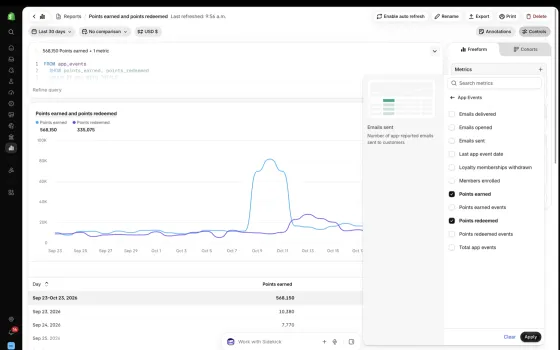
A More Complete View of Your Business in Shopify Analytics
Shopify Analytics already brings together the core commerce signals that show how your business is p…